
Chores made fun.
Pengoe helps families manage chores and pocket money — kids log completed tasks, parents track earnings month by month.
▶ Get it on Google Play
Pengoe helps families manage chores and pocket money — kids log completed tasks, parents track earnings month by month.
▶ Get it on Google Play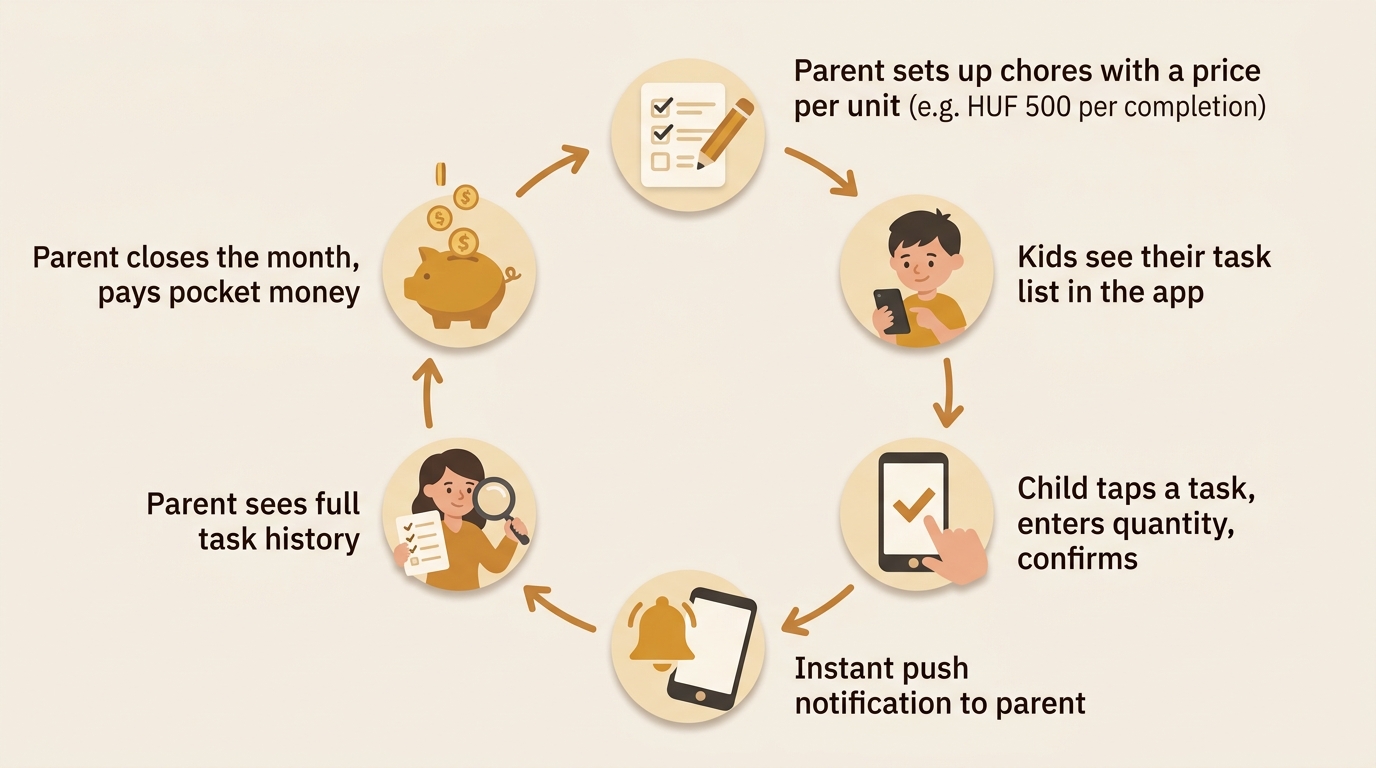
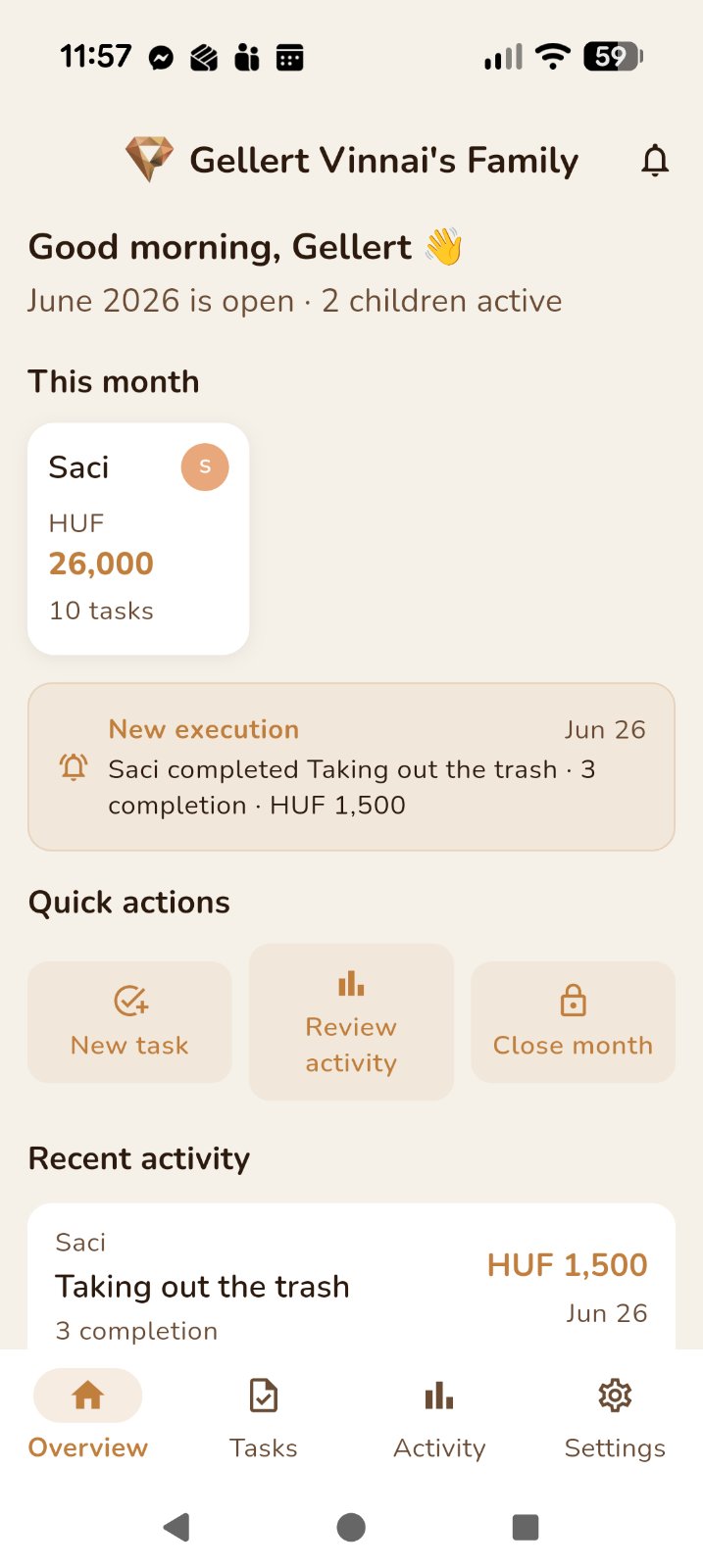
The parent dashboard shows each child's earnings and completed task count for the current month. Recent activity and quick actions — create a task, review history, close the month — are always one tap away.
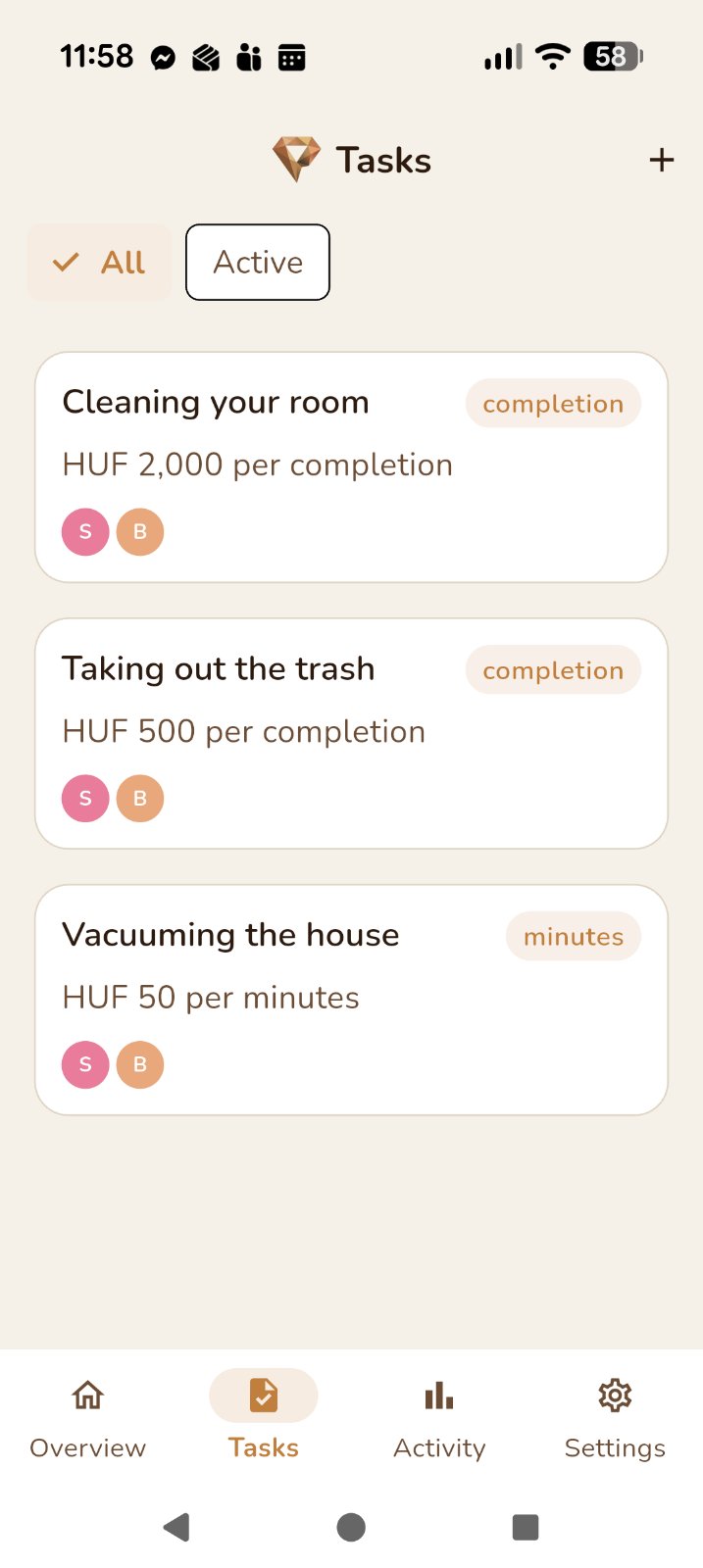
Create chores with a price per unit — choose between completions, minutes, or any custom unit you define. Assign each task to one child or to everyone at once.
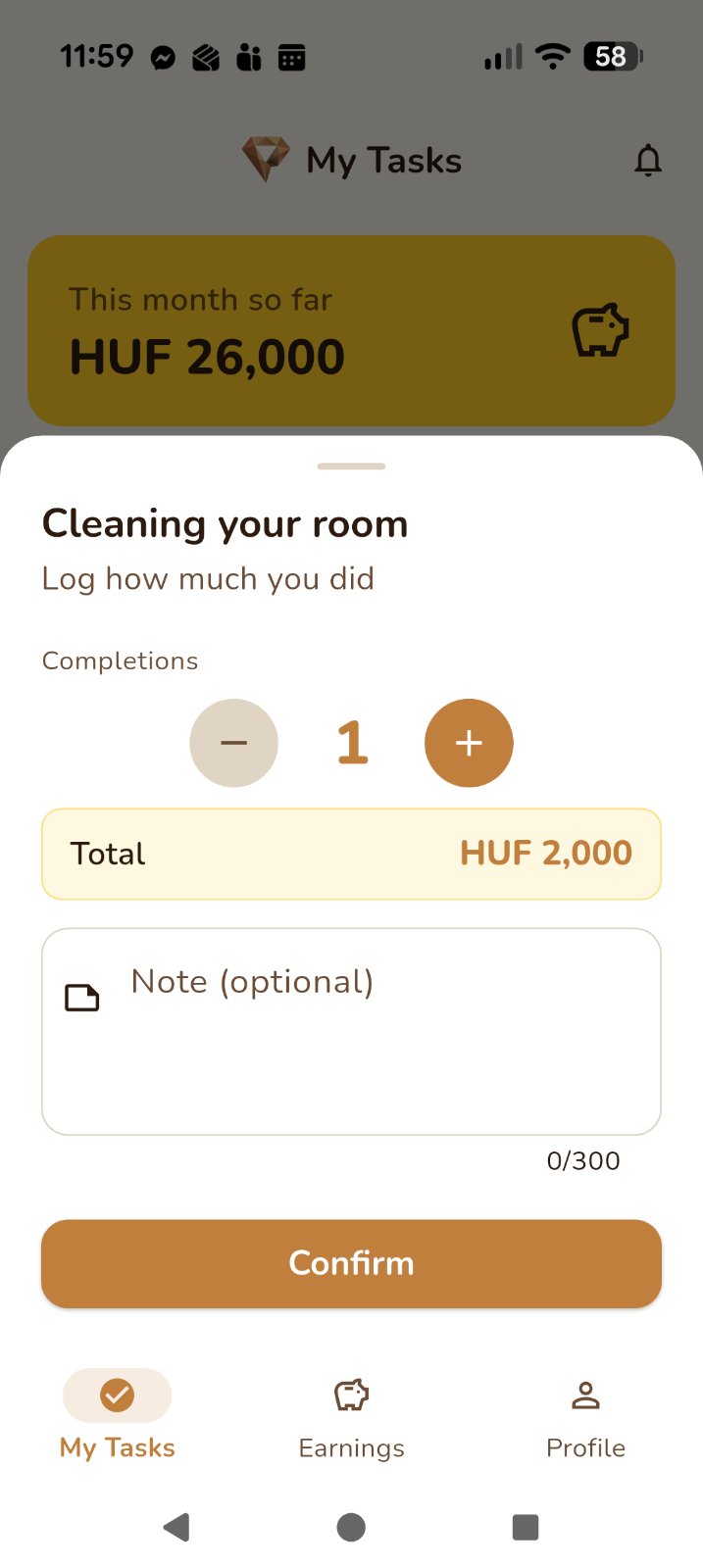
Children tap a task, enter how much they did, and confirm. The earned amount is calculated instantly and added to their running total for the month.
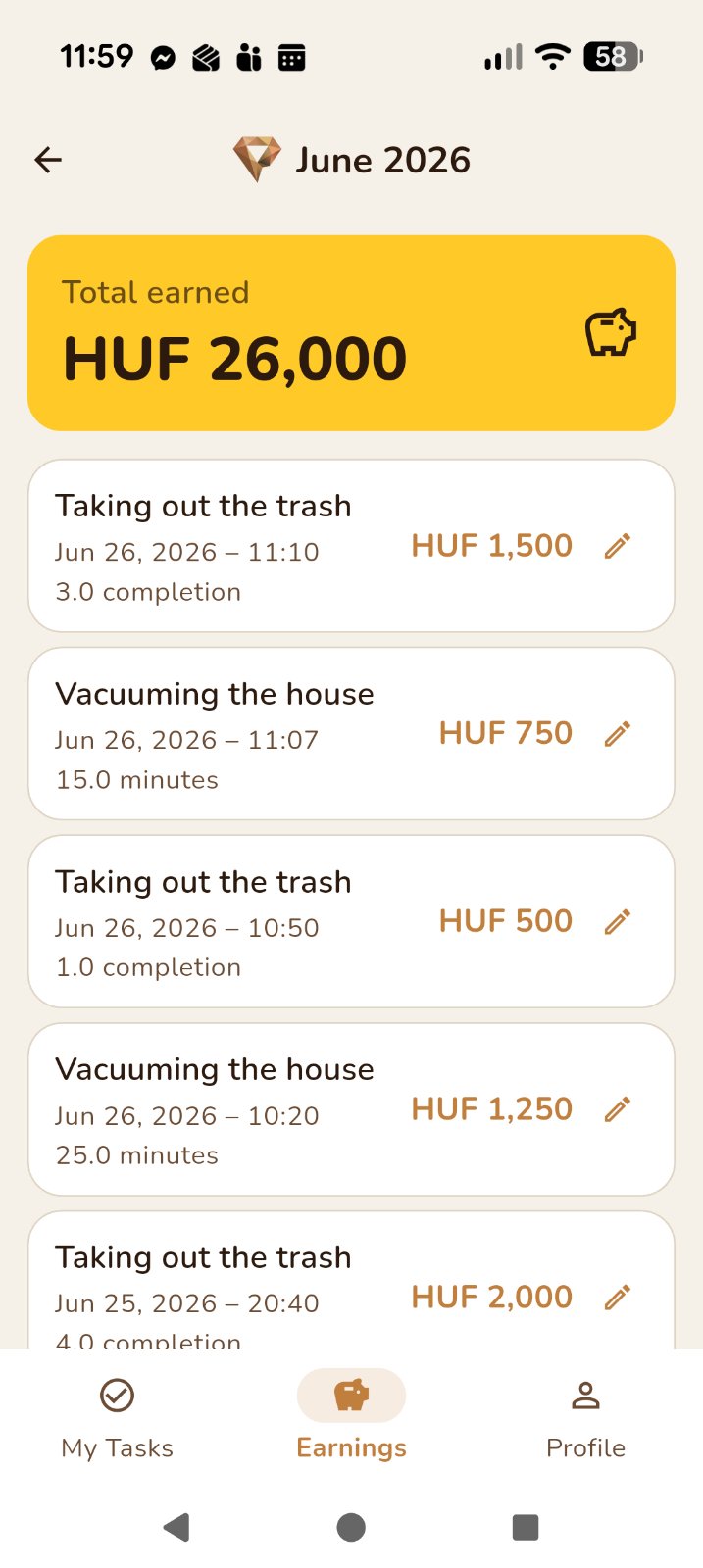
Children have their own earnings screen with a total and a full history of every task they completed. Seeing the number grow is its own motivation.
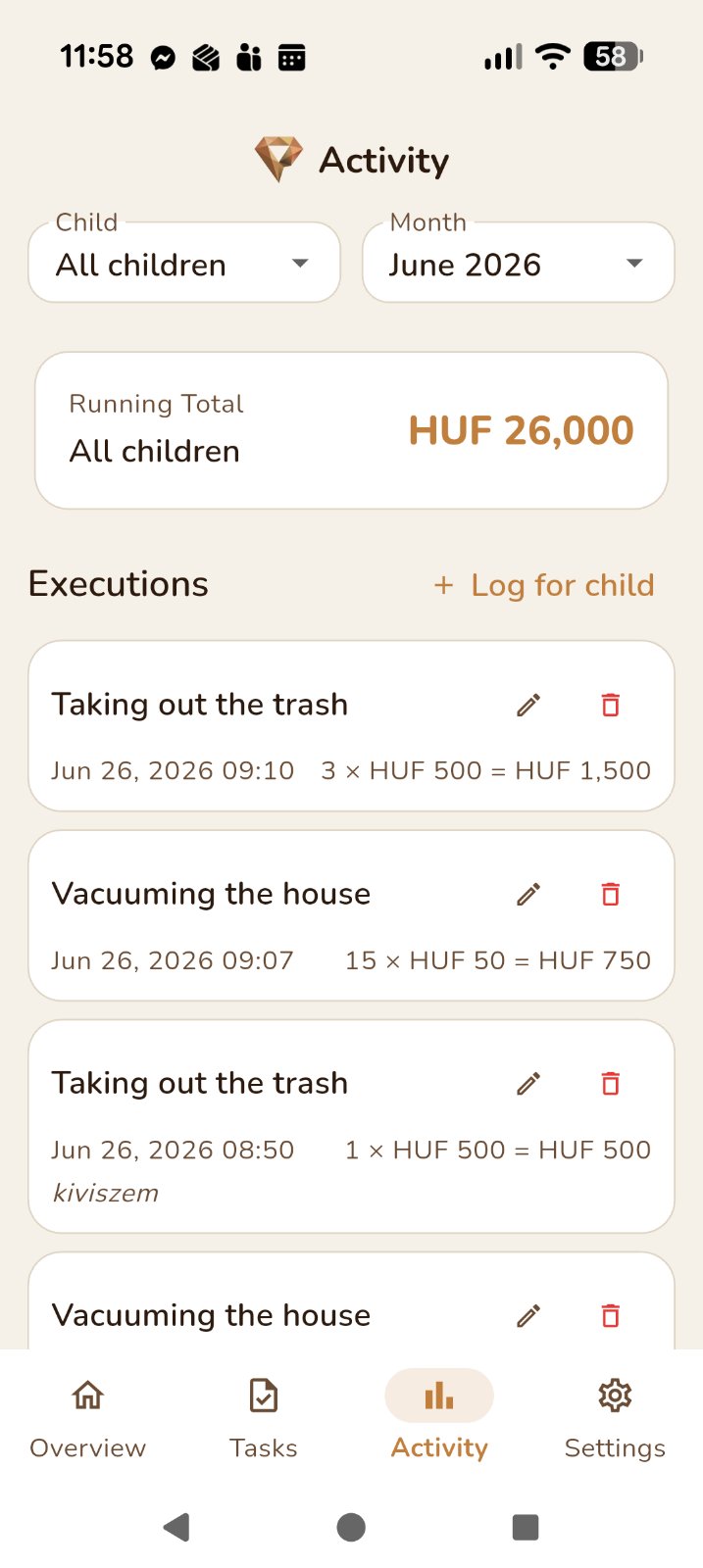
Browse every logged chore for any child, filtered by month. Edit or delete individual entries if something needs correcting — the running total updates automatically.
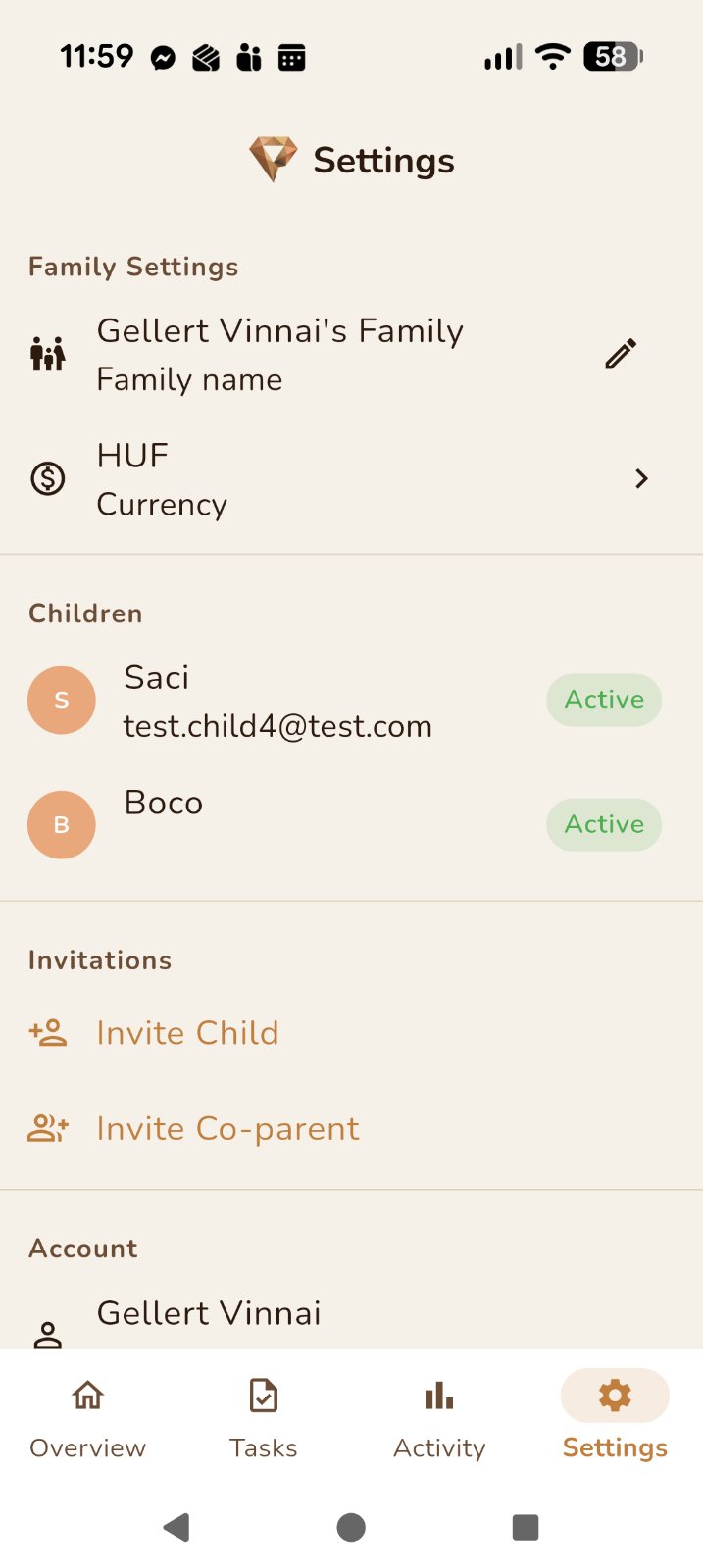
Add children and a co-parent by sending an invitation link via email. Each person gets their own account and sees only what's relevant to their role.
Ready to get started?
▶ Get it on Google Play